Posts

CATIA V5 Part Design Overview for Mechanical Modeling

Image
CATIA V5 Part Design is a core workbench used to create precise, feature-based solid models for mechanical components. It follows a history-based design approach, where features are built sequentially in a specification tree. This allows associative updates across sketches, pads, pockets, and dress-up features, ensuring that any design modification automatically updates dependent geometry. Such parametric control makes CATIA Part Design highly effective for mechanical components used in geotechnical, structural, and industrial workflows, especially in training environments like Pigso Learning. Part Design also integrates seamlessly with assemblies and downstream PLM systems, preparing models for validation, manufacturing, and ENOVIA V5 VPM data management. This makes it a foundational skill covered in every professional CATIA design course. Core Toolbars in CATIA V5 Part Design The Sketch-Based Features toolbar forms the foundation of solid modeling. Tools such as Pad, Pocket, Shaft, ...

ENOVIA V5 VPM Overview for PLM and Product Development Workflows

Image
  ENOVIA V5 VPM is a core solution within the VPDM (Virtual Product Development Management) domain of ENOVIA Life Cycle Applications. It plays a vital role in PLM (Product Lifecycle Management) by capturing, organising, and managing product data throughout the development lifecycle. Widely used in aerospace, automotive, and manufacturing industries, ENOVIA PLM software helps organizations streamline collaboration, improve design reuse, and accelerate innovation. ENOVIA V5 VPM enables efficient handling of complex product structures, supports variant management, and integrates seamlessly with the PPR Hub (Product–Process–Resource) to connect design data with manufacturing and resource planning. Through rich 3D visualisation, teams gain better decision support, resulting in reduced costs and faster time-to-market. Core Features of ENOVIA V5 VPM Object Management: Efficiently manages parts, assemblies, CAD models, documents, and related attributes across the entire PLM lifecycle. Pro...

Beginner Guide to COMSOL Multiphysics for Geotechnical FEA Workflows

Image
  COMSOL Multiphysics software is a powerful and intuitive simulation software widely used for multiphysics analysis across engineering domains. For geotechnical engineers and students familiar with PLAXIS-style workflows, COMSOL Multiphysics modeling offers a flexible environment to study soil–structure interaction, stress–strain behaviour, seepage, and coupled physics problems. This beginner-friendly tutorial introduces the COMSOL interface, geometry handling, and mesh generation using a structured Q&A-style explanation—ideal for learning and online training courses. Interface Overview in COMSOL Multiphysics The COMSOL Multiphysics interface revolves around the Model Builder tree located on the left panel. This tree organizes the entire model hierarchically as Components → Geometry → Materials → Physics → Mesh → Study → Results. Selecting any node opens its configuration options in the Settings window on the right, while the Graphics window provides a visual representation o...

DELMIA Basics: Simulating Assembly Lines to Cut Real-World Waste

Image
  Introduction Reducing waste and improving efficiency are top priorities in modern manufacturing. Digital manufacturing tools help achieve these goals by allowing engineers to test and optimise processes virtually. DELMIA plays a vital role in this transformation by enabling realistic simulation of assembly lines, helping organisations reduce errors, rework, and material waste before production begins. What Is DELMIA and Its Role in Manufacturing DELMIA is a digital manufacturing and production planning solution used to design, simulate, and validate manufacturing processes. With DELMIA V5, engineers can model complete assembly lines, including machines, operators, and material flow. This virtual approach supports better planning decisions and reduces costly changes during physical execution. Assembly Line Simulation Using DELMIA Assembly line simulation in DELMIA software involves creating a digital replica of the production process. Through structured DELMIA software training, ...

Tekla Structures: A Guide to BIM Modeling, Design, and Analysis

Image
Tekla Structures is a powerful 3D Building Information Modeling (BIM) solution for the architecture, engineering, and construction industry. Tekla Structures allows designers and engineers to model and manage structural projects with a high degree of accuracy. Engineers and designers can create a 3D model of steel, concrete, timber, and other structural material parts, from simple to complex projects, by using Tekla Structures. What Tekla Software is Used For Tekla Structures allows for a complete process of structural modeling, detailing, and construction and functions as a single crucial application for creating intelligent and data-rich models. The application is usually used for: Structural Steel Modelling   Engineers are also able to model steel structures accurately. They assemble connections and steel fittings, and facilitate a smooth steel fabrication process. Concrete Detailing and Rebar Modeling: The software assists in performing complex concrete detailing, the a...

Top Best PLAXIS Software Training Courses Online

Image
  PLAXIS Software: PLAXIS is a finite element analysis software for geotechnical applications in which soil models are used to simulate soil behavior. The PLAXIS code and its soil models have been developed with great care. It is used for multiple geotechnical applications from retaining walls, slope stability, Dam construction, and tunneling also. PLAXIS has 2 software types with PLAXIS 2D and 3D. According to the project requirements engineers use this software to generate the desired outcomes of work. Benefits of PLAXIS Software: For several reasons, PLAXIS software is essential in the geotechnical engineering field. Here are some important benefits highlighting its significance: Soil Structural Interactions: You can simulate the behaviors of the soil structural interactions for structures like Retaining walls, Slope stability, Tunnels, and Dams for the surrounding soils in PLAXIS Software. Foundation Designs: Learn and Practice to perform the shallow and deep foundation desig...

Understanding User Subroutines in ABAQUS: UMAT and VUMAT Explained

Image
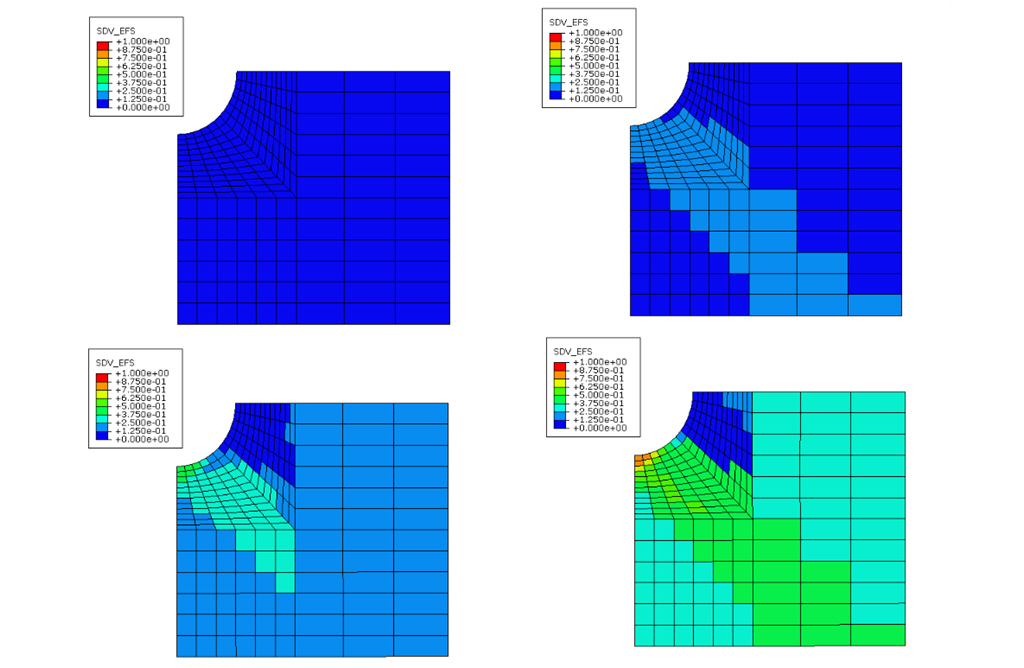
Engineers can individualize their work in ABAQUS with subroutines called UMAT and VUMAT. These tools allow users to describe advanced behavior of materials that is not included in the basic material libraries of ABAQUS. Knowing how to apply subroutines is crucial for engineers, and now many of them prefer to acquire this knowledge with a proper online Abaqus UMAT course. What is the Meaning of UMAT and VUMAT? You can use the UMAT module in ABAQUS/Standard to design materials under static and low-speed dynamic situations. ABAQUS/Explicit makes use of VUMAT to solve very fast-paced simulations. All the programs are written in Fortran, which is the usual language for coding finite element analysis applications. During every analysis step, ABAQUS uses these routines to find out how the materials will respond according to the user’s settings. The way ABAQUS makes use of subroutines At the beginning of every increment in ABAQUS/Standard, subroutines such as UMAT are used twice. At first, we...